

The technique of having Multiple authors to manage a Blog is getting popular these days. Though this feature was already available in wordpress , recently Blogger too has enabled this feature. So now Blogger Users can have upto 100 multiple Authors or co-Authors for their blogs. So this new Team Blogging feature has enabled multiple authors to manage a single Blog. Although the owner of the blog will be the admin by default and all new authors he invites will be given co-author account. They can only EDIT their posts and they won’t have the feature to edit / delete others posts. However the admin can change the privileges of the co-authors anytime.
Adding Multiple Authors to Blogger Blogs
In this tutorial , I will explain how to Add more co-authors or guest authors to your Blogger Blog. Just follow these simple steps to enable this feature in Blogger.
- Sign in to Blogger
- Go to the Settings page of your blog. Click the link for Permissions.
- Click the “Add Authors” button to add one or more new authors to the list of people who can write posts for your blog.
- After adding the authors email id , click ” invite ” button.
- Blogger sends an email invitation to each person you listed in Step 4. If they agree to participate in writing the blog, they respond to the email affirmatively. Blogger does the rest for you.


Changing the permissions of the author
Once the author accepts your invitation , he can start writing in your blog. But he can only edit or delete posts written by him. He can’t delete posts written by others.
If you want anyone of the author to edit others post , then you need to grant him admin privileges. For granting Admin privileges , go to Settings page of your blog and navigate to Permissions subtab. Beside the author name you will see a button ” grant admin privileges “.

Click that button and you are done. Now your partner can edit or delete any posts. But one thing you must be very careful before giving someone the admin privileges is that once you grant someone admin privileges he has the power to remove you from the blog.

Popular


Editor’s Pick
-
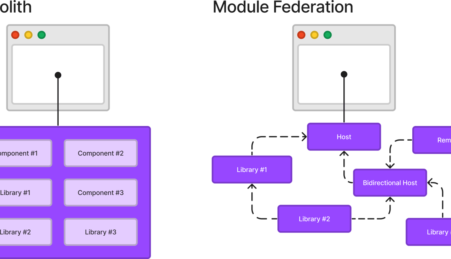
April 22, 2023 Mastering Webpack Module Federation: A Comprehensive Guide for Modern Application Development
Introduction Welcome to this comprehensive guide on mastering Webpack Module Federation for modern application development. In this guide, we’ll dive into the world of Webpack and explore its Module Federation feature in-depth. Definition of Webpack Module Federation Webpack Module Federation is a feature of the Webpack module bundler that allows developers to share code and…
-
April 29, 2008 Hide Blogger Navigation Bar – CSS Hack
As we all know in blogger, above header there is navbar or navigation bar . Most of want to hide the navigation bar in blogger , but we don’t know how to do that. Never wonder here is a simple trick to hide the navigation bar in blogger . Follow these easy steps to paste…
-
September 14, 2012 6 Handy Tips for Responsive Web Design
Information Technology and Telecommunication have progressed at a rapid rate in the recent years. The development of smartphones, tablet PCs, notebooks and touch screen enabled android mobile devices in the last decade or so is a testament of how quickly technology has evolved. The invention of these multiple computing platforms has urged website developers to…
-
May 14, 2023 Advanced Techniques and Debugging Strategies for Optimizing React Component Rerendering
React is a powerful JavaScript library for building user interfaces, particularly single-page applications. A fundamental concept in React is the component, a reusable piece of code that returns a React element to be rendered on the DOM. Rerendering is the process by which React updates the DOM to reflect changes in the state or props…
-
December 6, 2012 12 Best Mid Range DSLR cameras
I am almost got fed-up to hear “What’s the best DSLR”I receive several emails from our readers asking which one they should opt. Now the true fact is, almost all DSLR cameras is good enough to take clean pictures .They all provide you with good specs, sharp images but it’s you who will decide whether…

29 Comments
Ya… good post…
I have a doubt.
How can we customize the default ‘About Me’ widget for Multiple Authors with a thumbnail for each Authors.
So if I invite someone they don’t have to have a Google or Blogger account prior to invitation?
It’s not necessary that they must have one blogger account. Even if they don’t have one Blogger account, they will get your invitation later they need to create one account in blogger.com inorder to become a guest author.
Hope the above info is useful to you.. check soon for other new hacks.
Hey very nice blog!!….I’m an instant fan, I have bookmarked you and I’ll be checking back on a regular….See ya
Super-Duper site! I am loving it!! Will come back again – taking your feeds too now, Thanks.
but nowa days its not working, invite goes but, there is error while comferming…
After sending invite, the person who I send the invite to does not receive an email. I have tried two email addresses and neither of them work. Looked in spam and it is not their either.
My roommate and I have a blogger blog together, and before I figured out how to add her as her own author on the site she published a couple posts under my name. Is there a way to go back and change those posts so that my roommate is the author and not me?
Hi Kirby!
Since the post is already published… the author name can’t be changed now. But if she (your friend ) wants to have those two posts under her name then you need to delete the posts temporarily and publish the posts again from her id. It’s the only way possible as of now dude..
Is there a way for the ogirinal commenter to get an e-mail notifying that their comment has been replied to?
hi buddy,
i want to know how to add blog multiple blog in single email-id . i give u situation i have 4 blog in email-id(A) and 4 blog in email-id(B). i want to know how to add email-id(B) blogs in email-id(A).plz help me.
Its very easy buddy… just add email-id (A) as admin in email-ID (B) blogs.. and remove email-ID(B) from the admin option of the email-ID(B) blogs… hope this will help you.. i have did this before for my blogs..
yes its helpful to make author to you
very good idea
hi Mr.Mohamed Rias
you really helped me to know how to add an Author guest to my blog but i have some qs:
1- do the Author guest will know my password of the blog??
2- if “NO” should i open my account for her so she can add her post?
3- if “YES” so how can i protect my blog ???!!
with alot of thanx ^^
ran
Hi Ran,
Sorry for very late reply,
1. No the Guest author won’t know your password.
2. You can invite her as author to post in your blog. Enter her email under author.
3. She can delete or edit only her posts. She can only write articles, she won’t have any control over your content or blogger template.
So you can add her as author.
At the same time, Don’t add her as admin. If you grant her admin privileges then she can take control of your blog. So just make her author , so your blog will be safe.
If you want to confirm, create a fake account for yourself and add that email as author in your blog. You can understand that your blog is safe 🙂
How to create guest posts in blogger?
Unquestionably consider that that you stated. Your favourite reason seemed to be on the net the easiest factor to understand of. I say to you, I certainly get irked even as folks consider issues that they just do not realize about. You managed to hit the nail upon the highest as well as outlined out the entire thing with no need side effect , other people could take a signal. Will probably be again to get more. Thanks
Thanks very much for this. I was wanting to know how to do this for ages, as I share a blog with one of my friends. I know how to do it on Google Sites, but I couldn’t find the feature on Blogger. Thank you again.
ANONYMOUS
I am working on a Blog for our Genealogy group. I would like to have all members be able to write posts.
Do they all need to have a gmail account? Not everyone does and I am concerned about the not to tecki members being able to contribute?
Hi Claludia, Yes they need a gmail account. The invitation part and the confirming is not so difficult.. its very easy… I have seen blogs where around 5 members contributing to it. So this feature will surely fit your blog as well..
Good luck with it, Claludia 🙂
Thank you…
Thank u viya..It’s really a helpful post..Thank u very-much.
no one is answering ran’s question, I need it too.
Here is the answer for Ran’s question :
1. No the Guest author won’t know your password.
2. You can invite her as author to post in your blog.
3. She can delete or edit only her posts. She can only write articles, she won’t have any control over your content or blogger template.
So you can add her as author.
At the same time, Don’t add her as admin. If you grant her admin privileges then she can take control of your blog. So just make her author , so your blog will be safe.
If you want to confirm, create a fake account for yourself and add that email as author in your blog and check how your blog appears for authors 😉 You can understand that your blog is safe 🙂
But, I wonder if new author or user could register and sign them up like in wordpress. could it be?
Hi Ahyar,
No, Blogger doesn’t have that option still. Lets hope blogger will include this option in future updates..
Nice one, blogger is now improving, hope the do something about the current commenting system and to improve the mobile rendering as well. Thanks for the tutorial.
I sent an invite to someone early this morning. And they accepted. The issue is, they are still not showing up in the authors section. They are still showing in the invitation sent section. My question is, how long does it usually take to show up correctly in the authors section after they accept?
It’s amazing to see how Blogger is making a lot of changes to make blogger easier and better for its blogger. And that is one reason i love competition. WordPress has become a big competitor that Blogger can no longer ignore. So, they needed to step up the game!